Roblox Discord Server - How to Join & Connect with Players in 2026
Roblox is more than a game -- it is an entire platform of experiences, and its community extends far beyond the Roblox app. If you are looking for a Roblox Discord server to find friends, discuss your favorite games, learn development, or trade limited items, Discord hosts some of the largest and most active Roblox communities online.
This guide explains how to find and join Roblox Discord servers, what types of communities exist, and how to get the most out of them.
Key Takeaways
- Roblox Discord servers cover every aspect of the platform including gameplay, trading, development, and social hangouts
- Find Roblox communities by searching on Discordserversz.com or browsing the gaming category
- Most servers are free and welcome players of all ages with proper moderation
- Roblox developers use Discord to share resources, recruit team members, and get feedback on their games
- Game recommendation channels where members share their favorite experiences
- News and updates covering Roblox platform changes and new features
- Screenshot and clip sharing of memorable in-game moments
- Voice channels for playing Roblox together
- Off-topic chat for general socializing
- Roblox meme channels for humor and inside jokes
- Strategy and tips for competitive games like Arsenal, Blox Fruits, and Tower Defense Simulator
- Trading channels for games with item economies
- Update announcements from the game developers themselves
- Bug reports and feedback channels for direct communication with creators
- LFG channels for finding teammates in multiplayer games
- Leaderboards and achievements tracking community accomplishments
- Value lists maintained by experienced traders
- Trade listings where members post offers and requests
- Price check channels for getting item valuations
- Scam prevention resources and reporting systems
- Market discussion covering trends and investment strategies
- Middleman services for high-value trades
- Scripting help channels for Lua and Luau questions
- Building and modeling showcases and feedback
- UI/UX design discussion and resources
- Game design theory and monetization strategy
- Asset sharing including free models, plugins, and resources
- Commission and hiring boards for finding team members
- Portfolio showcases where developers display their work
- Roblox Studio tips and workflow optimization
- Video discussion channels for new uploads
- Fan interaction with the creator
- Community game nights playing Roblox together
- Clip and meme sharing related to the creator's content
- Behind-the-scenes content and early announcements
- Active text channels with conversations happening throughout the day
- Voice channels for group play sessions
- Bot integrations that pull Roblox stats, display profiles, and run mini-games
- Event announcements for community activities
- Welcome channels with guides for new members
- Age-appropriate content enforcement
- Anti-scam measures to protect traders
- Active moderation teams monitoring channels
- Report systems for rule violations
- Verified member systems to reduce bot and spam accounts
- Beginner guides for new Roblox players
- Game walkthroughs and strategy guides
- Development tutorials for aspiring creators
- Trading guides explaining value systems and negotiation
- Platform updates summarized and explained
- Verify your account: Completing verification shows you are a genuine player and unlocks full server access
- Be cautious with trades: Only trade through trusted channels and never share your password
- Share your creations: Whether you build games, models, or artwork, the community appreciates seeing your work
- Help newer players: Roblox has a constant influx of new users who benefit from experienced guidance
- Report scams immediately: Help moderators keep the community safe
- Join voice channels: Playing Roblox with voice chat transforms the experience
- Better communication: Roblox's built-in chat is limited. Discord offers voice, text, and media sharing
- Cross-game communities: Connect with players across multiple Roblox experiences in one place
- Developer access: Many game creators are active in their Discord servers
- Trading security: Organized trading channels with moderation reduce scam risk
- Persistent connections: Build lasting friendships that go beyond any single Roblox game
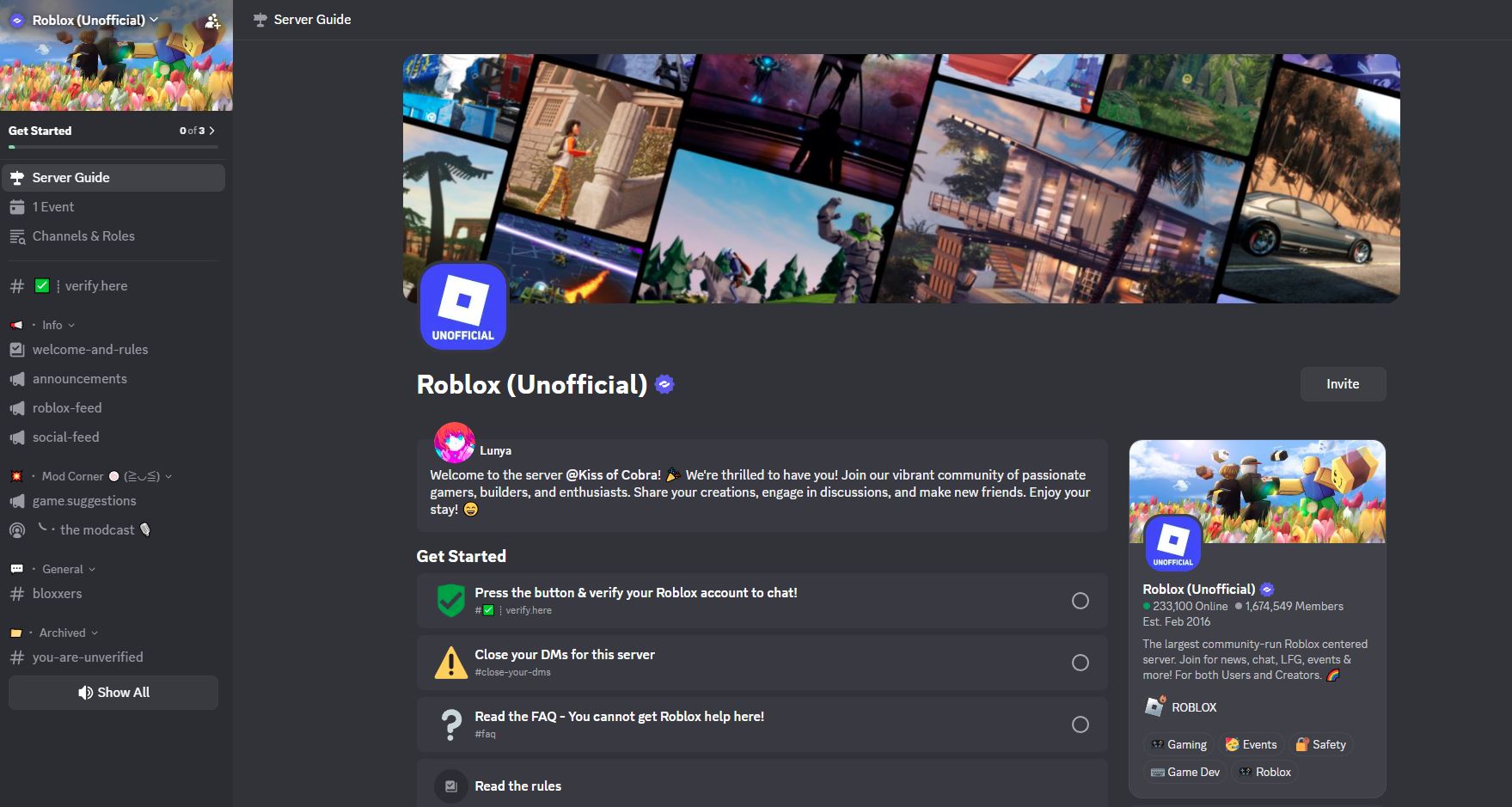
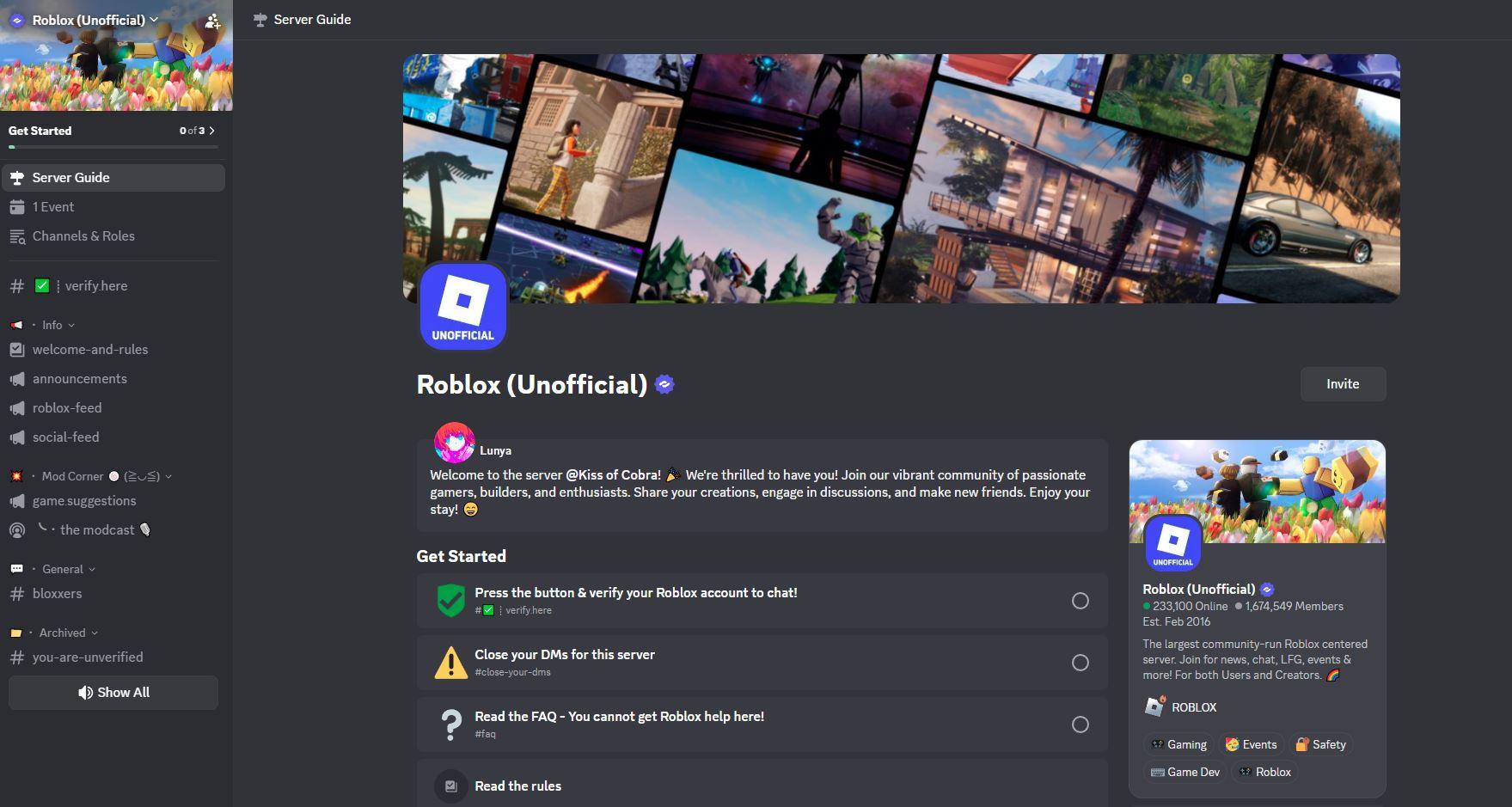
The official Roblox Discord server showing community channels, announcements, and the experience new members see when they first join.
What Are Roblox Discord Servers?
Roblox Discord servers are communities where Roblox players and developers come together outside the platform. Since Roblox's in-game social features are limited, Discord fills the gap by providing voice chat, organized discussion channels, and community events that enhance the Roblox experience.
How to Join a Roblox Discord Server
Step 1: Get Discord
Download Discord from discord.com or install the mobile app. Create a free account.
Step 2: Find a Server
Search for "Roblox" on Discordserversz.com or browse the gaming category to discover active Roblox communities.
Step 3: Join and Verify
Click the invite link and complete the verification process. Many Roblox servers verify your account to ensure you are a real player, sometimes by linking your Roblox profile.
Step 4: Choose Your Roles
Select roles based on your interests such as trading, development, specific games, or general chat.
Step 5: Start Connecting
Introduce yourself and jump into the channels that interest you.
Types of Roblox Discord Servers
General Roblox Community Servers
These servers welcome all Roblox players and cover the platform broadly:
Game-Specific Servers
Many popular Roblox games have their own dedicated Discord communities:
Trading Communities
Roblox's limited item economy has created active trading communities:
Development Communities
Roblox Studio developers have built thriving Discord communities:
Roblox YouTuber and Content Creator Servers
Popular Roblox content creators run their own communities:
What You Will Find Inside a Roblox Discord Server
Community Features
Safety and Moderation
Given Roblox's younger audience, most Roblox Discord servers take safety seriously:
Resources and Guides
Tips for Roblox Discord Members
Why Roblox Players Use Discord
Frequently Asked Questions
Is it free to join a Roblox Discord server?
Yes, Roblox Discord servers are free to join. Both Discord and Roblox are free platforms, and community servers do not charge for access.
Are Roblox Discord servers safe?
Well-moderated Roblox Discord servers are safe. Look for servers with active moderation, clear rules, and verification systems. Always be cautious about sharing personal information and never give out your Roblox password.
Can I find Roblox developers on Discord?
Yes, many Roblox game developers run their own Discord servers where players can interact with them directly. Development community servers also connect aspiring and experienced developers.
How do I trade safely on Roblox Discord servers?
Use servers with established trading channels and moderation. Check value lists before trading, use middleman services for high-value trades, and never click suspicious links or share login details.
Do I need to link my Roblox account to join a Discord server?
Some servers require Roblox account verification to confirm you are a real player. This is optional on many servers but required on trading and development communities for security purposes.
What are the best Roblox Discord servers?
The best server depends on your interests. Browse Discordserversz.com to find communities focused on your favorite games, trading, development, or general Roblox discussion.
Conclusion
Roblox Discord servers are essential for anyone who wants to get more out of the Roblox platform. From finding friends and trading partners to learning game development and joining community events, Discord is where the Roblox community truly comes together.
Discover Roblox communities on Discordserversz.com and find the perfect server for your interests. Whether you are a player, trader, developer, or content creator, there is a Roblox Discord server ready to welcome you.